


Leave with a plan.
Build your list while you check the fridge and pantry. Add quantities, keep your staples together, and give every store its own list. You can focus on what you need before the shelf displays compete for your attention.
YOUR NEXT GROCERY TRIP, UPGRADED
Less backtracking. Fewer “did we get that?” moments. A little more time for everything else. Meet SwiftLists, your new favorite way to grocery shop.
Available on iPhone, Android, and the web. Start with a free account; unlock more with Premium.
A better list.
A calmer shop.Plan before you leave.Know what’s next in the aisle.Get back to your day.SMALL FRICTIONS. BIG DIFFERENCE.
Dinner plans. Favorite brands. The milk that ran out this morning. Your grocery list should hold those details so you don’t have to.
Build your list while you check the fridge and pantry. Add quantities, keep your staples together, and give every store its own list. You can focus on what you need before the shelf displays compete for your attention.
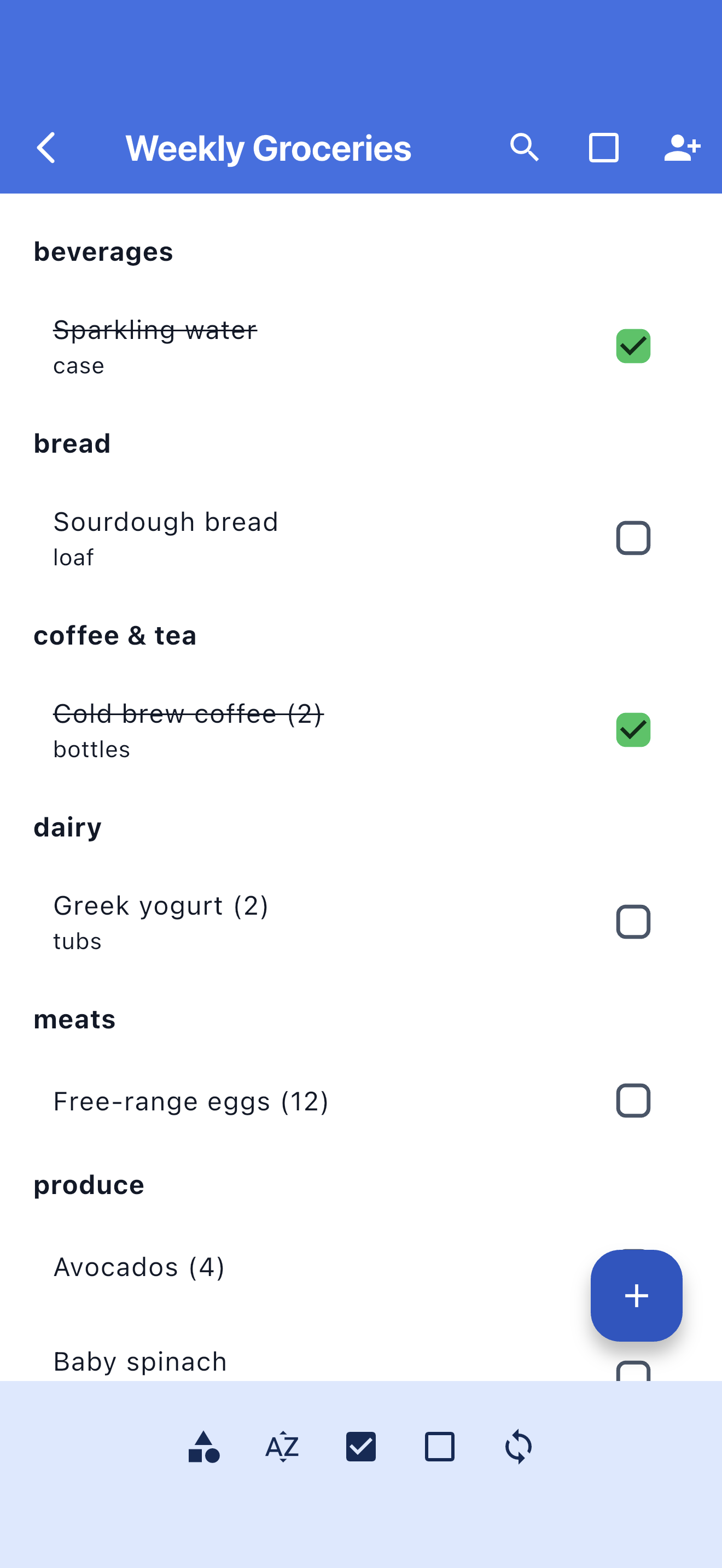
Group items by grocery category, check them off as they reach your cart, and keep the next thing easy to spot. Less scanning a jumbled list means less wandering back to an aisle you already visited.
Keep a list of the things you buy regularly. Instead of rebuilding the same weekly shop from memory, you have a starting point waiting for you. Premium bulk actions make resetting that routine even quicker.
LESS ZIGZAGGING. MORE GETTING ON WITH IT.
You’re standing in produce. Your apples, spinach, and avocados should be together, even if you added them at different times. Category sorting helps you see what belongs in the section you’re shopping right now.
Prefer an alphabetical view? Want unchecked items front and center? Choose the view that suits your trip. With Premium, remember your sorting preferences and create custom categories to make the list feel more like your store.
Use familiar grocery categories, then tailor your organization as your shopping routine evolves.
YOUR STAPLES, ALREADY REMEMBERED
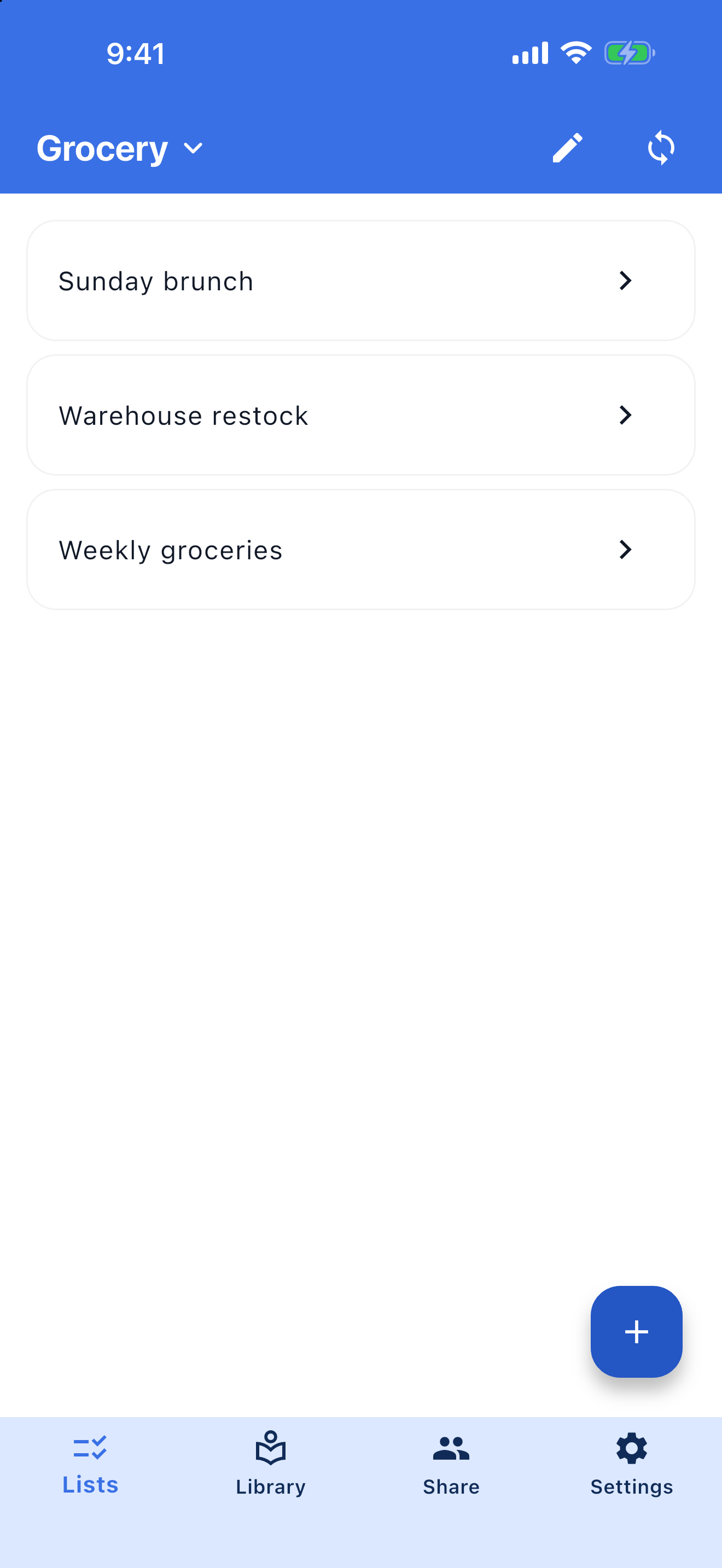
The regular supermarket trip. A warehouse restock. Sunday brunch. Keep a separate list for each routine, so the ingredients for one occasion don’t get lost among everything else you need.
Reuse the groceries you buy often and change just what’s different this week. With Premium, reset checked items together instead of tapping through them one by one. Less setup makes it easier to keep the habit going.
Plan your weekly groceries on your computer, then find that same list on your phone when it’s time to head out.
ONE HOUSEHOLD. ONE PLACE TO LOOK.
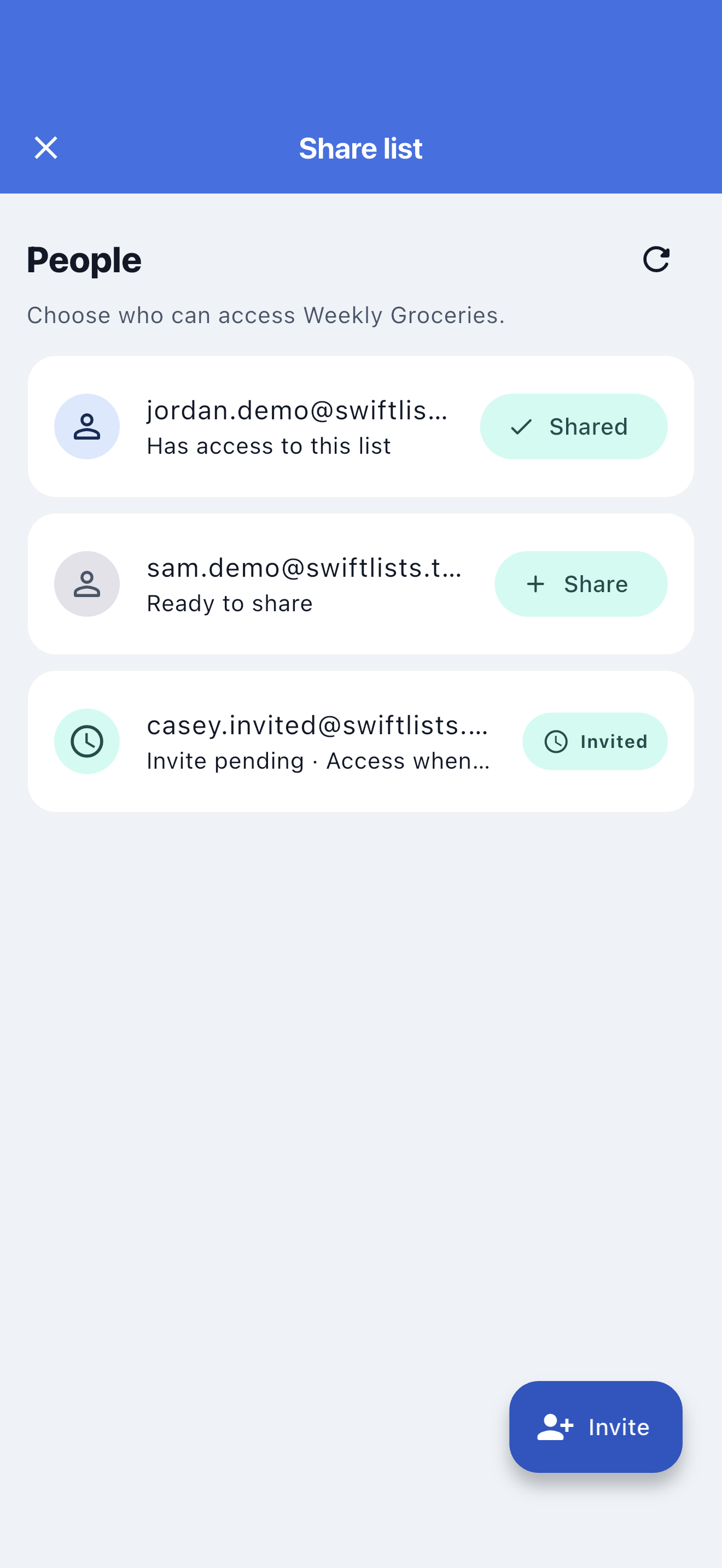
When groceries live across notes, messages, and someone’s memory, it’s easy to miss an item. Shared lists give your household a common place to add what’s running low and check off what’s been picked up.
Premium sharing lets your partner, family, or roommates contribute to the same list. The person planning dinner and the person doing the shopping can work from the same information, with updates syncing when connected.
Sharing is a Premium benefit. Offline edits synchronize when the mobile app reconnects.
FOR THE AISLE WITH NO SIGNAL
The mobile app lets you work with your lists offline. Add something you forgot, edit an item, or check off what’s in your cart. Your changes sync when you’re connected again. Keep moving, even at the back of the store.
THE LITTLE DETAILS THAT SAVE A SECOND TRIP
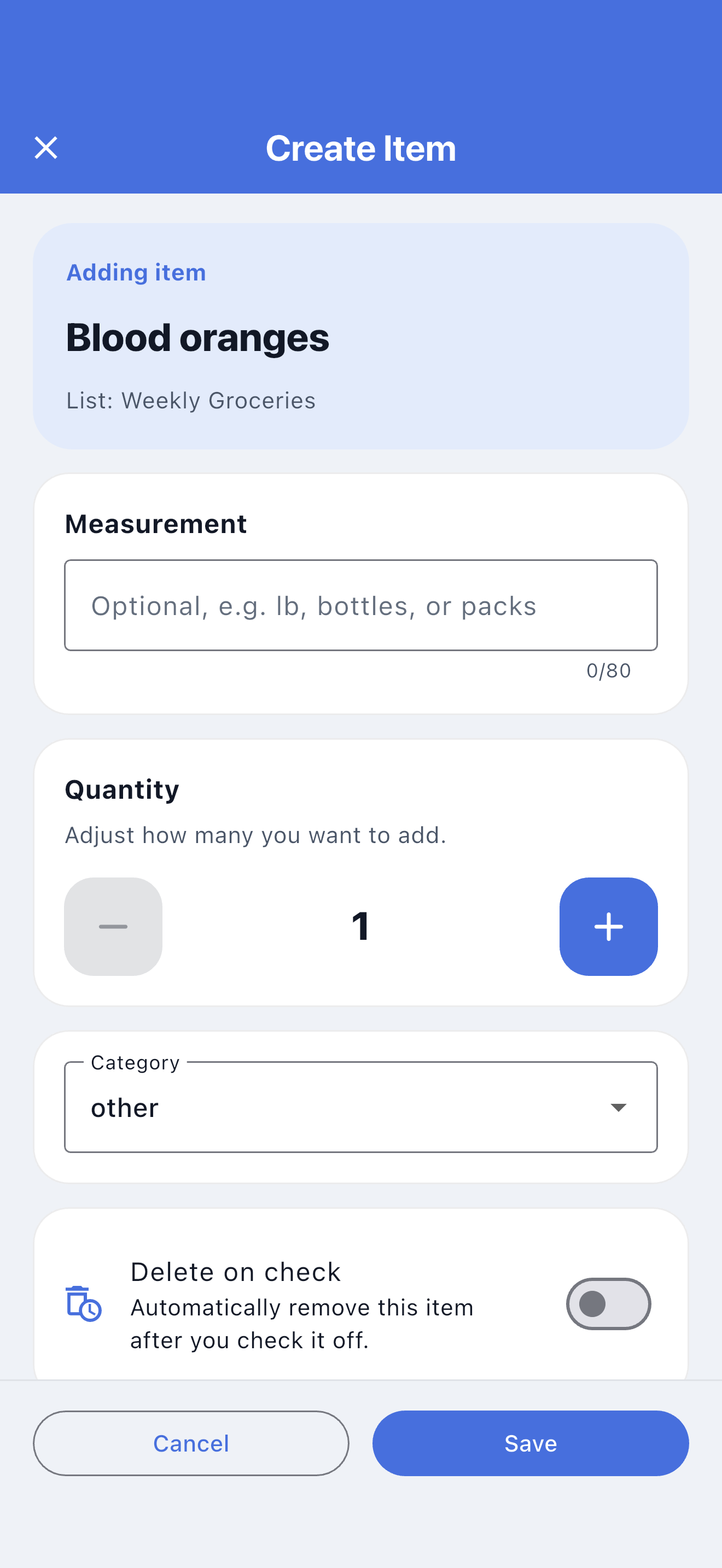
“Yogurt” is a reminder. “Greek yogurt,” with the quantity you need, is a plan. Give items clear names and quantities so you—or whoever is shopping—can make fewer guesses in front of the shelf.
Search your existing list as you type to find what’s already there before adding it again. Keep separate lists for your weekly supermarket shop and the occasional warehouse run, so each trip has a clear purpose.
A useful list keeps the details beside the item, right where you need them.
BIG SCREEN TO SHOPPING CART
Make room for a little planning at home. The SwiftLists web dashboard gives you space to organize groceries before you take the list with you on your phone.
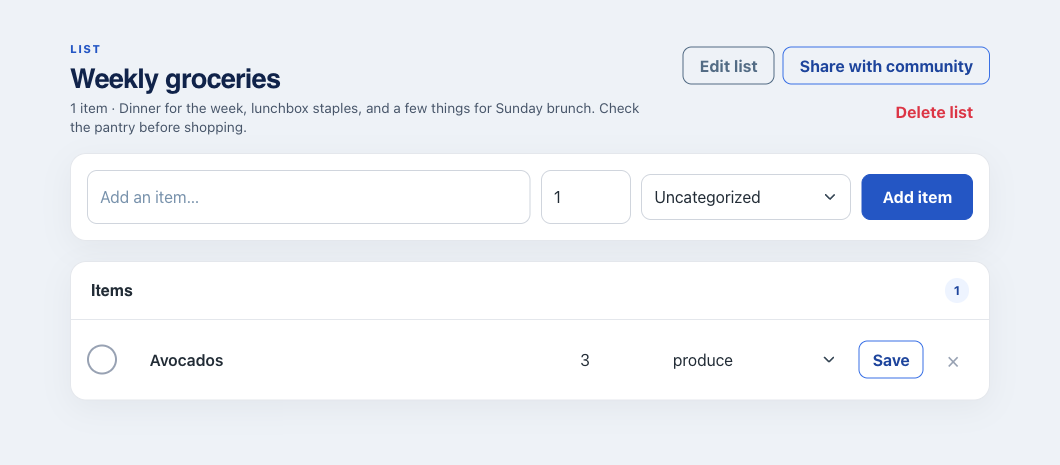
Type out your groceries, set quantities, and assign categories from your computer. Check items off, edit a detail, and keep a note about the week’s shop—all from the dashboard.
Sign into the same account on the mobile app to take your lists with you. Planning at your desk and shopping on your phone can be part of the same routine.
Create your web account →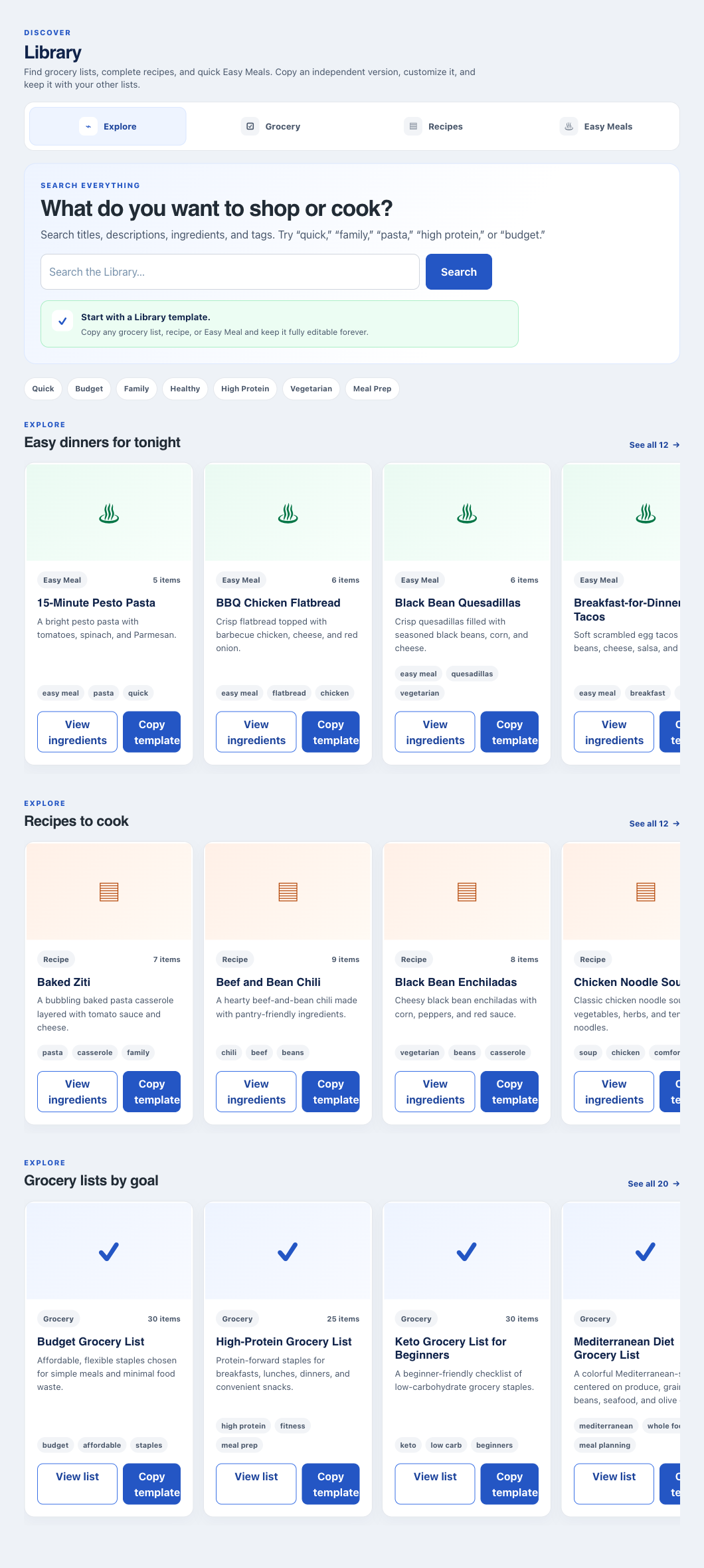
Browse the Library for a grocery list or recipe to use as a starting point. Search and filter on the web, then copy a useful template into your account and adapt it to your tastes.
Every account includes one starter Library copy. Premium unlocks additional copies, so you can explore more starting points as your routine changes.
Explore grocery list ideas →FROM “WHAT’S FOR DINNER?” TO “WE HAVE EVERYTHING.”
Groceries make more sense when you know what you’re cooking. Keep recipes with their ingredients, shopping quantities, and instructions in SwiftLists so the meal plan and the shopping plan stay close together.
Use Shop mode for ingredients at the store, then Cook mode for measurements and directions at home. It’s a practical way to keep the details of dinner within reach from the first item to the last step.
See recipes and Cook mode →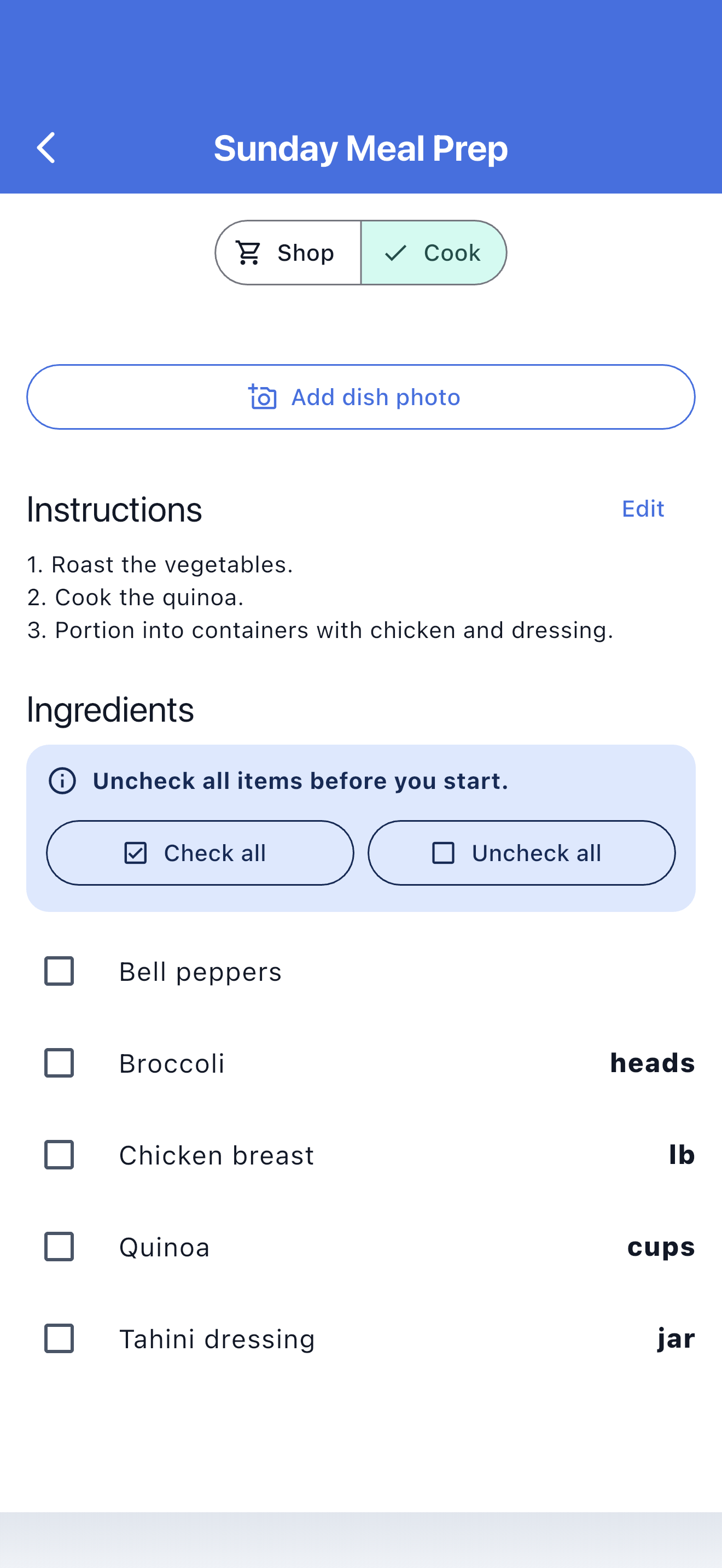
A FEW THINGS YOU MIGHT BE WONDERING
It brings the whole trip together: plan a clear list, organize by category, keep quantities handy, shop offline on mobile, and reuse your regular groceries. Premium adds sharing and shortcuts that make a weekly routine easier to manage.
Yes. Create a free account and start building your lists. Premium is optional and unlocks additional tools, including sharing, bulk actions, custom organization, and PDF export. You can review current subscription prices in the app.
Yes. SwiftLists is available for iPhone and Android, with a web dashboard for planning from your computer. Use the same account to access your lists across the web and mobile app.
Yes. Premium sharing lets you give another person access to a list so they can contribute and check off groceries. Changes synchronize when connected; an offline device receives updates after reconnecting.
Yes, in the mobile app. You can work with your lists offline and synchronize changes later. The web dashboard requires an internet connection.
Yes. Keep your regular items in a reusable list instead of creating everything again. Premium lets you uncheck all items at once to reset the list, then adjust it for your next shop.
LESS LIST WRANGLING. MORE LIVING.
Give your next grocery trip a better starting point. Get organized with SwiftLists, then make the routine your own.
Start with a free account. Explore Premium when you’re ready.