

Keep a short starting list
Use familiar staples so you can check what you have rather than start from a blank page.
Grocery shopping gets harder when the list is scattered across memory, texts, notes, and old scraps of paper. SwiftLists keeps recurring items, active needs, and checked-off groceries in one simple place.
See the starter checklist ↓Use SwiftLists on your phone or in your browser:
Add groceries, see automatic categories, change quantities, and check items off in your browser. No download or account needed to try it. Create an account or sign in to save your list.
Simple lists with less visual clutter
Preview the full checklist below, then make an editable copy in your account.
The app helps you capture items quickly, bring old staples back when needed, and keep the store view focused on what still has to be bought.
Use familiar staples so you can check what you have rather than start from a blank page.
Find an item already on your list and uncheck it when you need it again.
Sort by category so nearby groceries are together. Use the mobile app’s hide-checked view to focus on what remains.
Keep completed items for the next trip. Add a partner to the list if shared planning helps your routine.
Start with a short list of foods you already use. Adjust it to your preferences, choose one store, and add extras only when you need them.
Create an account or sign in to save an editable list. You can add, remove, and check off items. Normal account item limits apply.
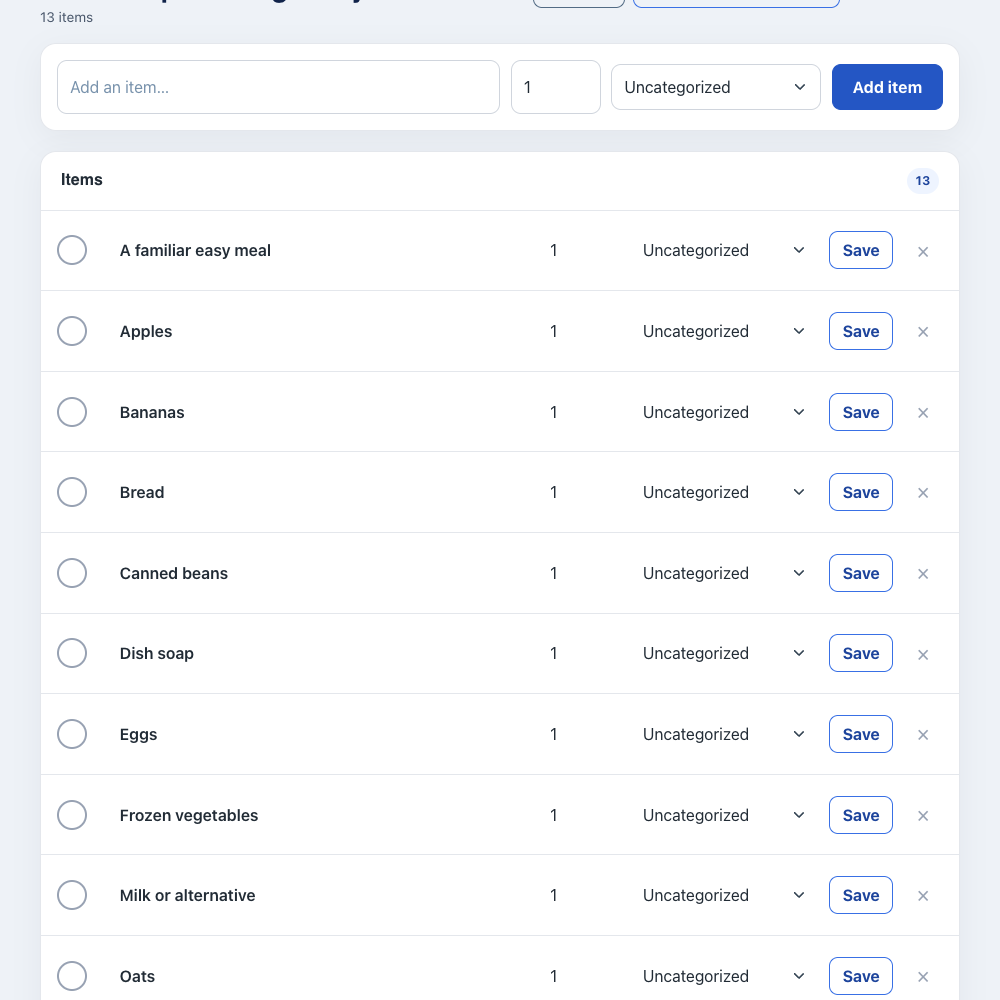
SwiftLists is not a medical tool, but it is built around practical list habits that can reduce grocery-list friction: reuse the same staples, hide what is already done, and group the remaining items by category.
Edit the item names, set quantities, and check things off as you go. Keep recurring items instead of deleting them, then uncheck them when you need them again.
Open the same account in the iPhone or Android app to share the list. Changes synchronize when each device is connected.
SwiftLists supports reusable lists, checked-item hiding, category sorting, search, and sharing. Those features can make grocery planning feel less scattered.
Yes. Checked items can be hidden so the active list stays focused on what is left.
No. SwiftLists is a grocery list and checklist app. It can support helpful list habits, but it is not a medical product.
Get SwiftLists on iPhone or Android and build a reusable grocery list that is easier to return to.
Start on the web or download the app:
Add groceries, see automatic categories, change quantities, and check items off in your browser. No download or account needed to try it. Create an account or sign in to save your list.