

Recipe8 items
One-Pot Spaghetti with Meat Sauce
A comforting one-pot spaghetti dinner with a simple savory meat sauce.
- Crushed tomatoes28-ounce can
- Garlic3 cloves
- Ground beef1 pound
- Italian seasoning2 teaspoons
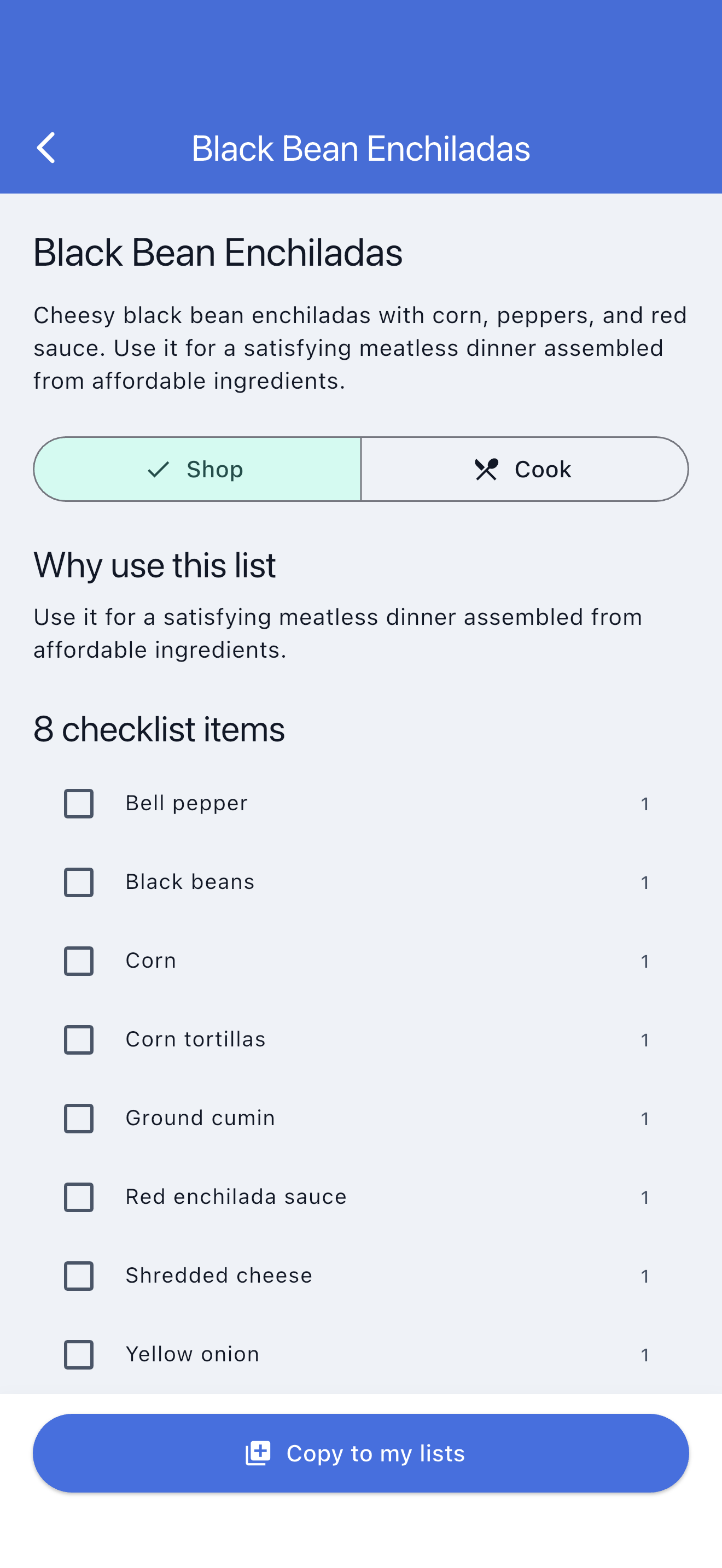
Keep the recipe and grocery trip connected. SwiftLists organizes ingredients by store category in Shop mode, then shows measurements and instructions in Cook mode.
Download the app or create a web account:
Add groceries, see automatic categories, change quantities, and check items off in your browser. No download or account needed to try it. Create an account or sign in to save your list.
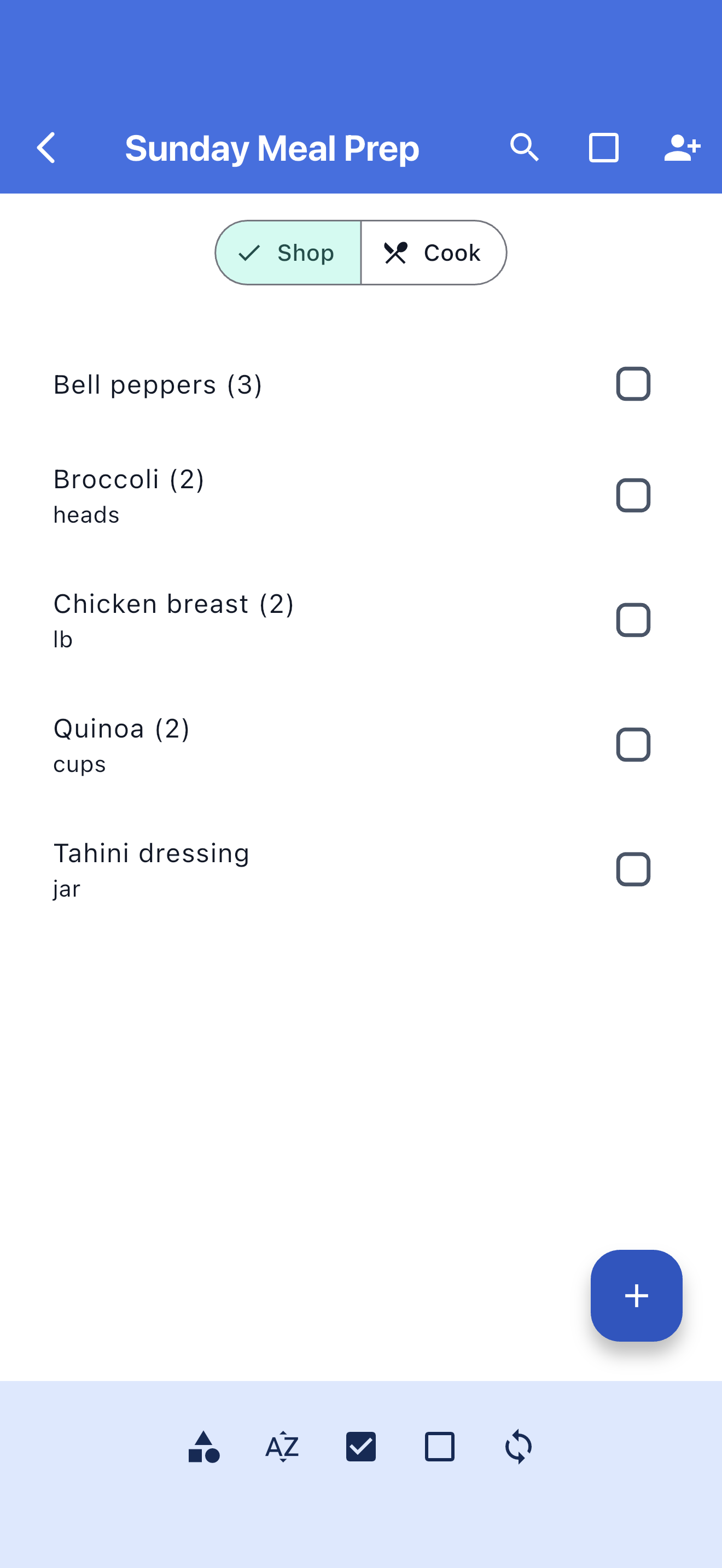
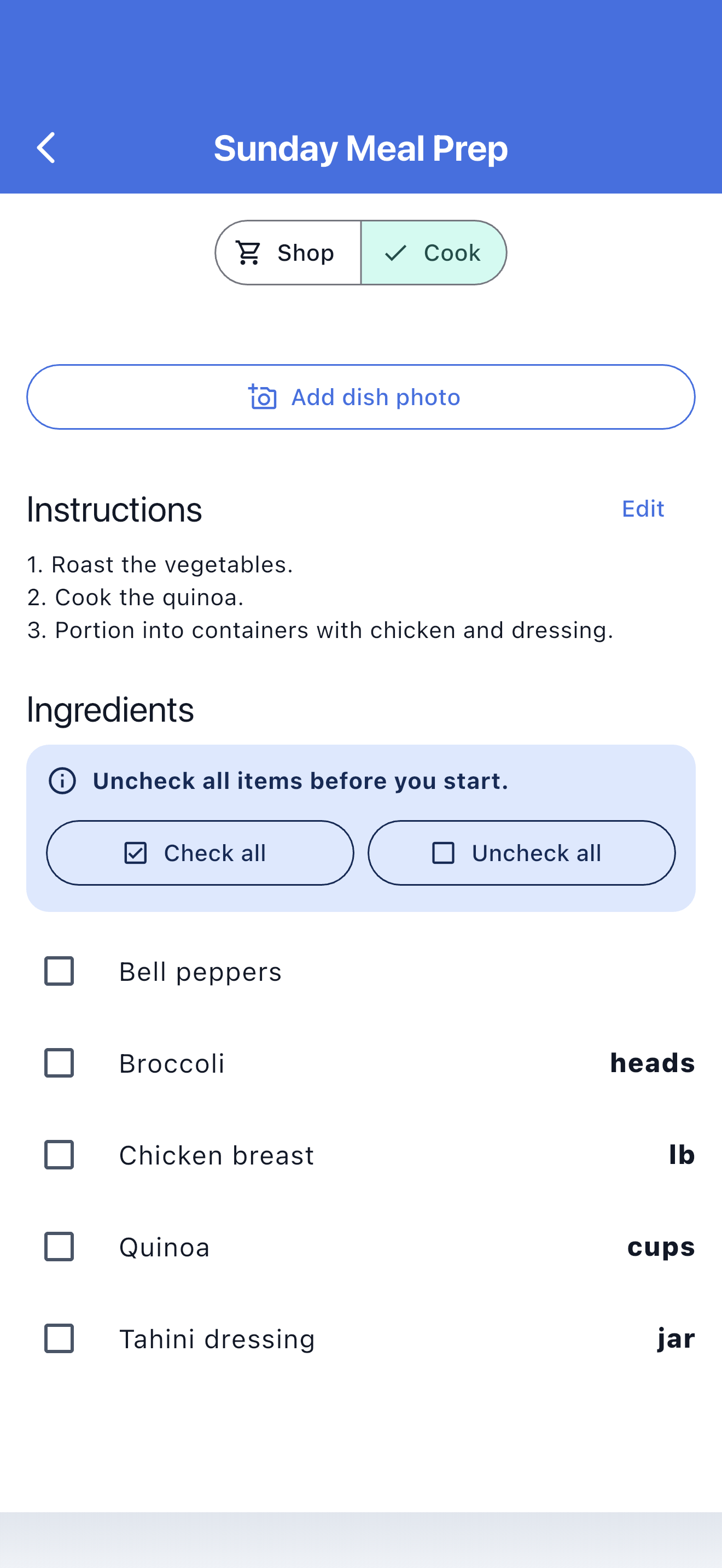
SwiftLists stores the ingredient name, shopping quantity, cooking measurement, grocery category, and instructions as one reusable recipe plan.
Browse practical recipes and Easy Meals when you do not know what to make.
Every recipe ingredient uses the same categories, quantities, checking, and sharing as a grocery list.
Measurements and instructions stay with the recipe when shopping is finished.
SwiftLists connects recipe discovery to the practical grocery checklist you need at the store.
Search the Library by meal type, ingredient, goal, or cooking style.
Create an independent recipe and ingredient list in your account.
Use categories and checkmarks to buy everything the recipe needs.
Follow ingredient measurements and instructions without changing shopping progress.
Browse recipes, Easy Meals, and grocery templates. Preview the ingredients, copy one into your account, and make it your own before shopping.
A comforting one-pot spaghetti dinner with a simple savory meat sauce.
Classic chicken noodle soup with vegetables, herbs, and tender egg noodles.
Batch-cooking staples that mix and match into prepared breakfasts, lunches, and dinners.
Keep package quantities, cooking measurements, and grocery categories together.
Let family or a partner add ingredients and follow shopping progress.
Copied recipe ingredients remain useful in stores with unreliable reception.
Edit the title, ingredients, measurements, instructions, group, and optional photo.
Turn chicken, pasta, vegetables, spices, and pantry items into a categorized store checklist.
Check purchases in Shop mode, then read measurements and directions in Cook mode.
Create recipes with instructions and an optional cover photo, or copy one from the Library.
Yes. Recipe ingredients behave like normal grocery items with categories, shopping quantities, and checkmarks.
Yes. You can buy one package while keeping a measurement such as 2 cups or ½ teaspoon for cooking.
Yes. Copied recipe text and ingredients remain editable offline and synchronize later.
Open the Library, copy a recipe into your account, and take the ingredients from store to stove.
Download the app or create a web account:
Add groceries, see automatic categories, change quantities, and check items off in your browser. No download or account needed to try it. Create an account or sign in to save your list.