

Agree what is shared
Start with apartment staples everyone uses. Make separate lists for personal items or a specific store.
Let every roommate add what the apartment needs, see what is already covered, and reuse the same staples on the next store run.
See the starter checklist ↓Use SwiftLists on your phone or in your browser:
Add groceries, see automatic categories, change quantities, and check items off in your browser. No download or account needed to try it. Create an account or sign in to save your list.
Roommate lists across iPhone and Android
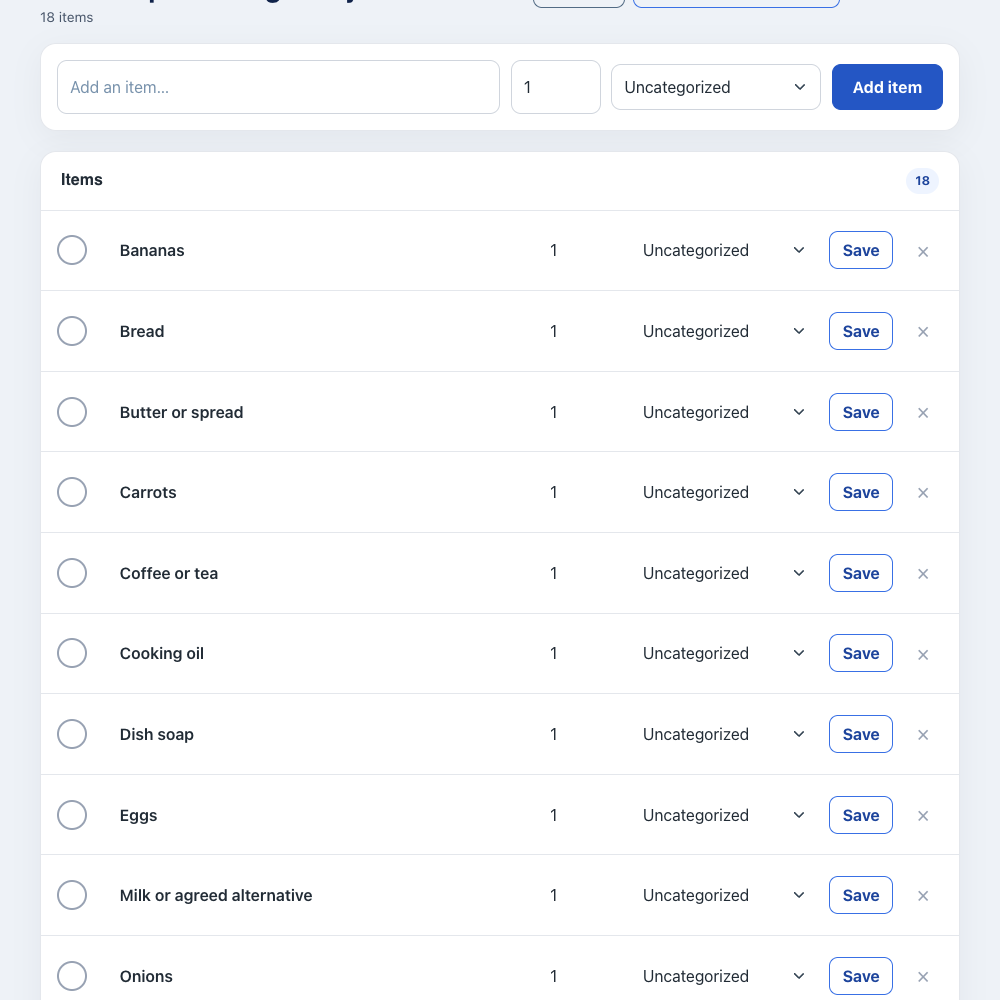
Preview the full checklist below, then make an editable copy in your account.
Make separate lists by store or purpose, share them with the right people, and use checkmarks to show what has already been bought.
Start with apartment staples everyone uses. Make separate lists for personal items or a specific store.
Share the apartment list from the mobile app so each roommate can add requests from their own phone.
Whoever shops checks off purchases. The group can see what is covered when changes synchronize.
Keep purchased items on the list and uncheck them when supplies run low. SwiftLists does not split bills or track reimbursements.
Agree which groceries everyone shares before shopping. Keep personal snacks and dietary preferences on separate lists; settle costs with your usual payment method.
Create an account or sign in to save an editable list. You can add, remove, and check off items. Normal account item limits apply.
Use SwiftLists for grocery trips, household restocks, Target runs, party supplies, and any errand where more than one person needs to add items.
Edit the item names, set quantities, and check things off as you go. Keep recurring items instead of deleting them, then uncheck them when you need them again.
Open the same account in the iPhone or Android app to share the list. Changes synchronize when each device is connected.
Yes. SwiftLists supports shared lists across iPhone and Android, with a web dashboard for managing lists in your browser.
No. It organizes the shared shopping list. Agree how to divide expenses and use your usual payment method for reimbursements.
Use one shared list for agreed household staples and separate lists for individual groceries.
Download SwiftLists and keep roommate errands in sync.
Start on the web or download the app:
Add groceries, see automatic categories, change quantities, and check items off in your browser. No download or account needed to try it. Create an account or sign in to save your list.