

Start with the weekend list
Create your list from the example below. Remove equipment your campsite provides and add anything your group needs.
Camping trips use many of the same essentials every time. SwiftLists helps you keep reusable checklists for gear, food, cooking supplies, clothes, safety items, and last-minute errands.
See the starter checklist ↓Use SwiftLists on your phone or in your browser:
Add groceries, see automatic categories, change quantities, and check items off in your browser. No download or account needed to try it. Create an account or sign in to save your list.
Reusable camping checklists on web, iPhone, and Android
Preview the full checklist below, then make an editable copy in your account.
Keep the essentials that repeat, add what is unique to this campsite, and check gear off as it reaches the car.
Create your list from the example below. Remove equipment your campsite provides and add anything your group needs.
Use list sharing in the mobile app so the people packing can add missing gear and see the same checklist.
Mark the tent, cooler, and gear as they actually reach the car, rather than when you remember to pack them.
Keep the items after the trip. Uncheck them for your next departure and revise the list as you learn what you use.
Start with a car-camping weekend, then adjust for your campsite, weather, group size, and trip length. Check campsite rules before you pack.
Create an account or sign in to save an editable list. You can add, remove, and check off items. Normal account item limits apply.
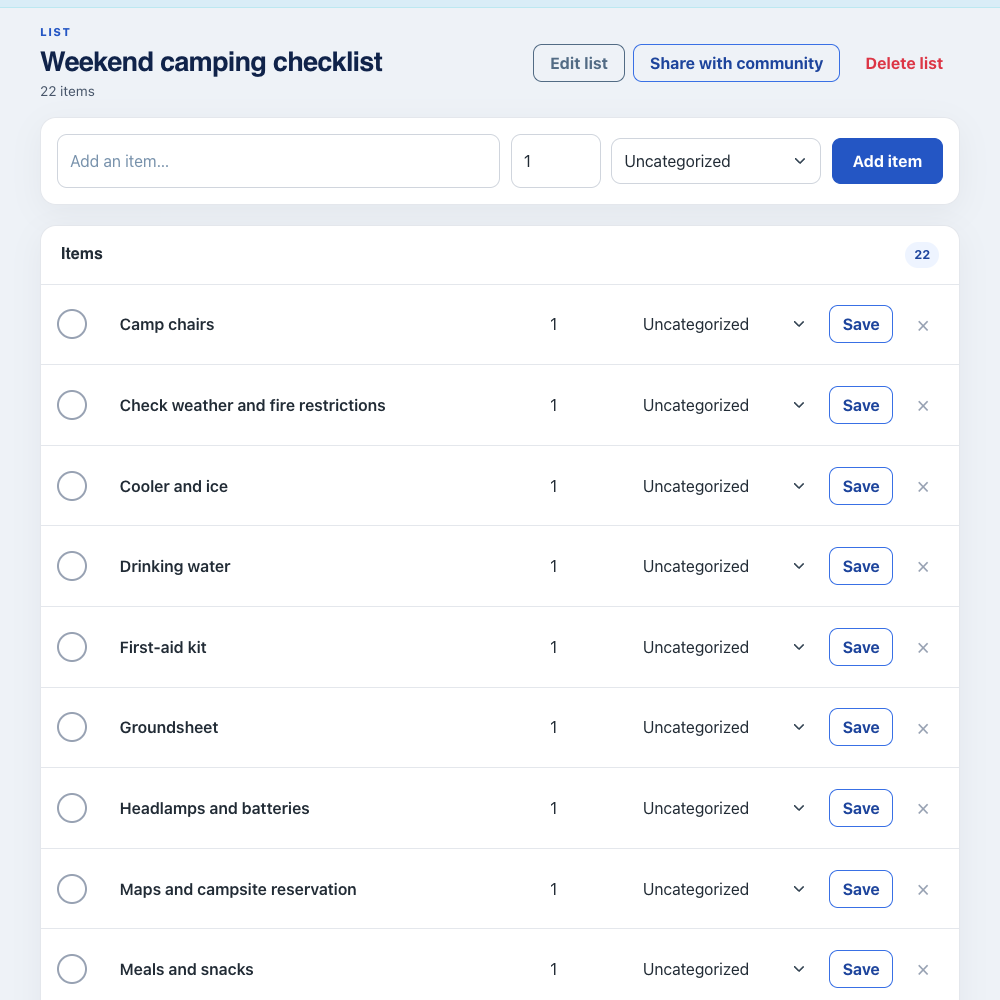
Make lists by trip, person, gear bin, or campsite job. Share packing with family or friends and check items off as they go into the car.
Edit the item names, set quantities, and check things off as you go. Keep recurring items instead of deleting them, then uncheck them when you need them again.
Open the same account in the iPhone or Android app to share the list. Changes synchronize when each device is connected.
Yes. SwiftLists is built around reusable lists, so a camping checklist can be checked, unchecked, and used again.
Yes. Share the list so family or friends can help check off packed items.
Yes. You can create multiple lists for different parts of the trip.
Get SwiftLists and make a camping checklist your group can pack from—and use again.
Start on the web or download the app:
Add groceries, see automatic categories, change quantities, and check items off in your browser. No download or account needed to try it. Create an account or sign in to save your list.