

Add your regulars once
Start with the example below, remove anything you do not buy, and add your household’s usual products.
Keep the groceries you buy regularly on one list. Check them off after buying, then uncheck only what you need for the next trip.
See the starter checklist ↓Use SwiftLists on your phone or in your browser:
Add groceries, see automatic categories, change quantities, and check items off in your browser. No download or account needed to try it. Create an account or sign in to save your list.
Reusable grocery lists for weekly shopping
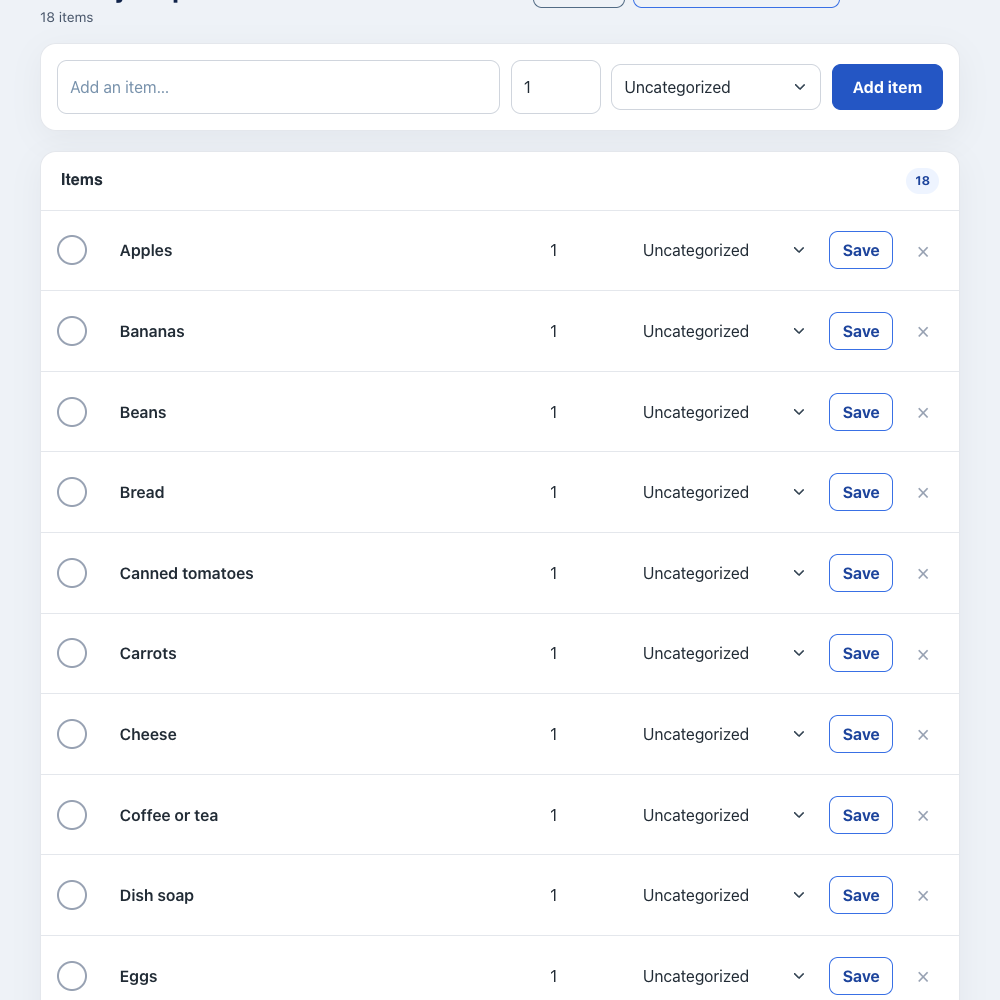
Preview the full checklist below, then make an editable copy in your account.
Use checkmarks to distinguish what you have bought from what you still need.
Start with the example below, remove anything you do not buy, and add your household’s usual products.
Before shopping, uncheck only the staples you need. Add any ingredients unique to this week’s meals.
Mark groceries as they go into the cart. Keep reusable staples rather than deleting them after checkout.
Open the same list, review what is running low, and uncheck those items again.
Review this list against your fridge, freezer, and pantry each week. Uncheck only items that need replacing, then add ingredients for this week’s meals.
Create an account or sign in to save an editable list. You can add, remove, and check off items. Normal account item limits apply.
A reusable list is a starting point for checking your kitchen. You decide what returns to the active list; SwiftLists does not automatically schedule purchases.
Edit the item names, set quantities, and check things off as you go. Keep recurring items instead of deleting them, then uncheck them when you need them again.
Open the same account in the iPhone or Android app to share the list. Changes synchronize when each device is connected.
No. You uncheck items when you need them again. SwiftLists keeps the list reusable rather than scheduling automatic purchases or reminders.
Keep recurring staples and check them off. Uncheck them for the next trip. Turn off delete-on-check for items you want to reuse.
Yes. Share the list from the mobile app so your household can add requests and check off purchases.
Create your weekly staples list on the web, then use the same account on your phone.
Start on the web or download the app:
Add groceries, see automatic categories, change quantities, and check items off in your browser. No download or account needed to try it. Create an account or sign in to save your list.